Now on Google Play · iPhone beta on TestFlight and the App Store

Take control of every dollar. Find your money leaks.

MaMoney is a calm, private money tracker. Budgets, bill reminders, debts, savings goals, and a Subscription Radar that spots recurring charges quietly draining your account. No bank logins. No judgment.

Free to download. Your data lives on your phone. Cloud backup is optional.

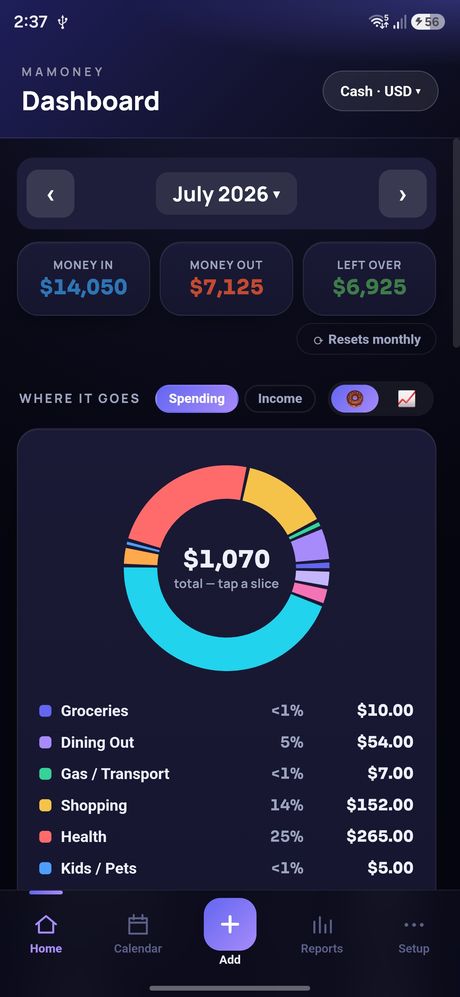
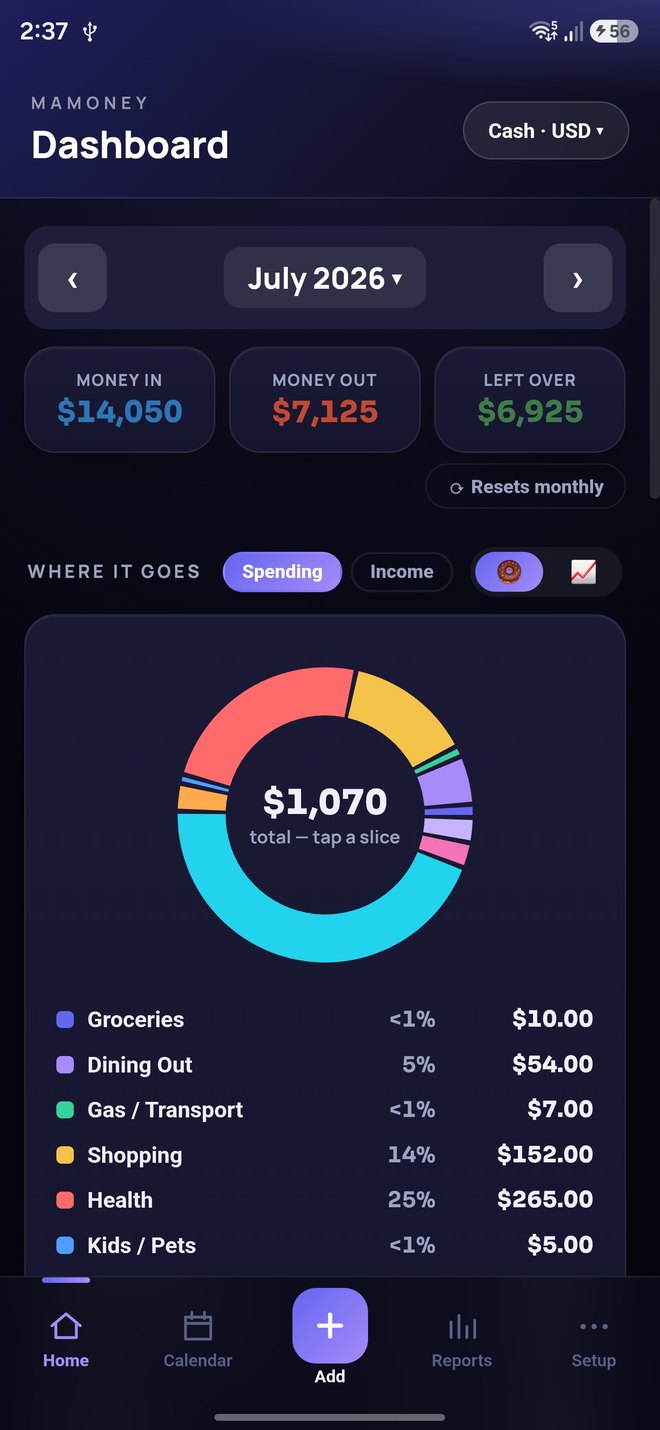
MaMoney dashboard in dark mode: money in, money out, what's left over and where the month's spending went
Why MaMoney

You know what you earn. Where does it all go?

Most money apps want your bank password and your attention. MaMoney just wants to show you the truth about your spending, calmly, so you can keep more of what you make. Every entry is yours, typed by you, understood by you.

Forgotten subscriptionsare one of the most common silent budget leaks. MaMoney finds them for you.
100% offline-capableTrack everything with no account and no internet. Backup is optional.
13 languagesIncluding full Arabic right-to-left support.
Features

Everything your money does, in one place

Simple enough for daily use. Deep enough to actually change your habits.

📡

Subscription Radar

Spots recurring charges hiding in your spending and shows what they really cost per year.

NEW
💡

Smart insights

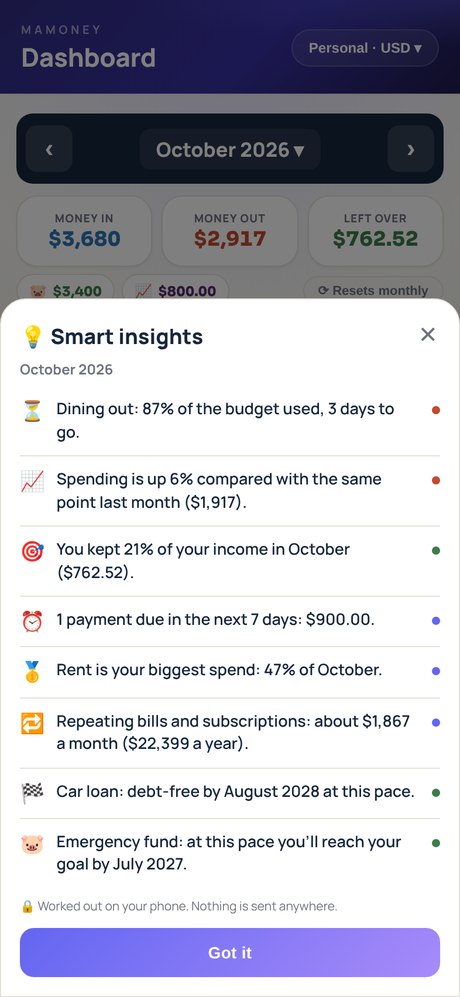
Tap the bulb for quick notes on your month: what's over budget, how you compare with last month, your biggest spend. Worked out on your phone.

💸

Expense & income tracking

Pick a category, type the amount, done. Rename categories any time and everything follows.

NEW
🔔

Bills & reminders

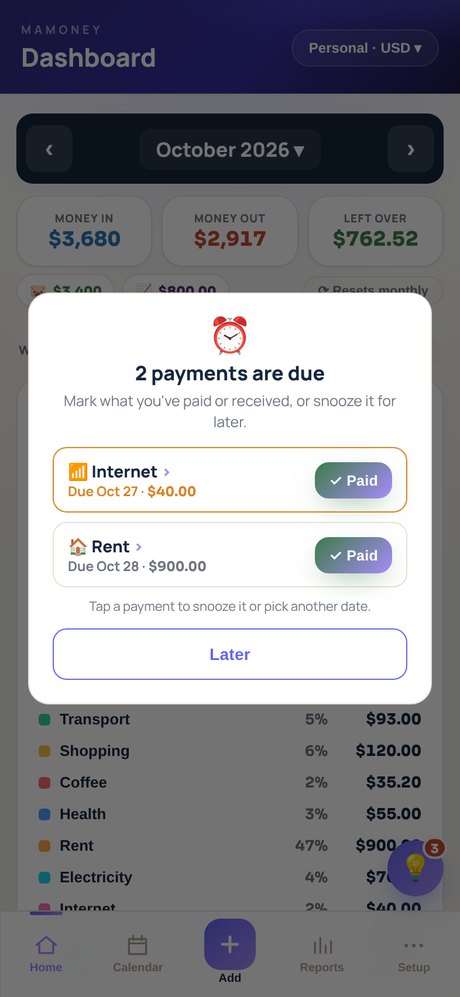
Set rent, salary and subscriptions once. When something's due, MaMoney reminds you: mark it paid or snooze it in one tap.

🎯

Budgets, savings & investments

Monthly budgets, savings goals with progress rings and the month you'll reach them, and your investments alongside.

📉

Debt payoff forecasts

Track what you owe, see the interest, and get a realistic date you'll be free of it.

NEW
📆

Calendar

The whole month at a glance. Add, edit or delete entries right from any day, and see what's coming up.

🍩

Charts that make sense

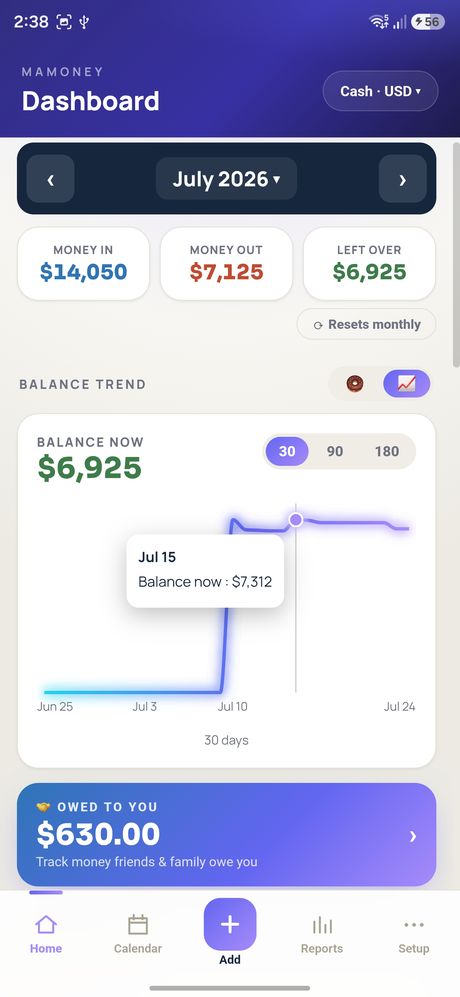
A category breakdown for every month and a balance trend you can tap, day by day.

📊

Reports & exports

PDF reports and Excel exports for any date range. Save snapshots to compare months.

🏦

Accounts, currencies & transfers

Cash, cards and savings in any currency. Move money between accounts and see them all together with Premium.

🧾

Receipts

Attach a photo or PDF to any entry. Receipts stay privately on your phone.

🤝

Owed to you

Money you lent, person by person, so nothing gets forgotten. Show it on your dashboard if you like.

NEW
☁️

Backup & sync

Sign in with Google, Apple or email and your data is backed up by itself. New phone? Sign in and it's all back. Or skip it and stay offline.

🔒

Private & secure

PIN, pattern, fingerprint or face unlock. No bank logins, no ads, no tracking.

📱

Home-screen widget

See what's left this month and add an entry straight from your home screen (Android).

🌙

Light & dark themes

A calm design that's easy on the eyes, day or night, in 13 languages.

A look inside

Designed to feel calm, not stressful

Screens from the current app, with sample data.

Swipe to look around →

Dashboard with money in, money out, what's left over and a balance trendDashboard
Smart insights: notes about the month such as a budget close to its limit and spending compared with last monthSmart insights
Spending broken down by category in a donut chart, dark themeWhere it goes
A reminder listing payments that are due, each with a Paid buttonBill reminders
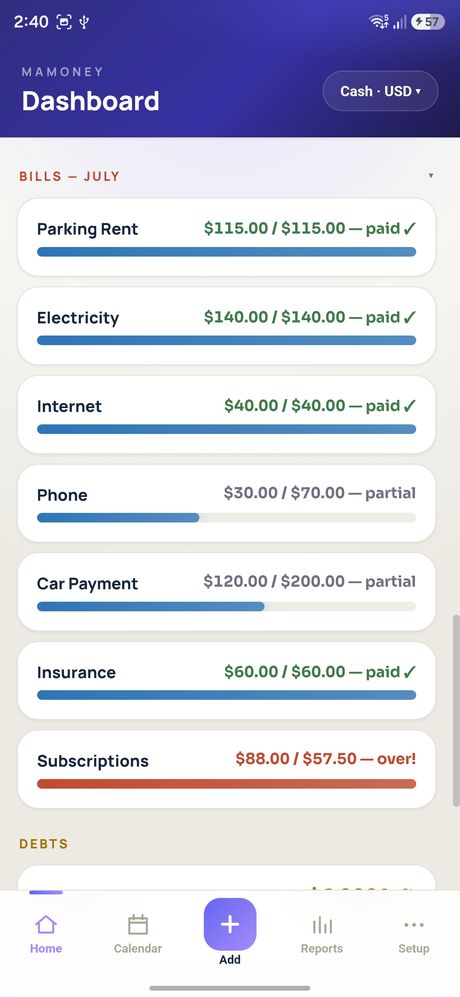
Monthly bills with paid and partial states, and a car loan with what's leftBills & debts
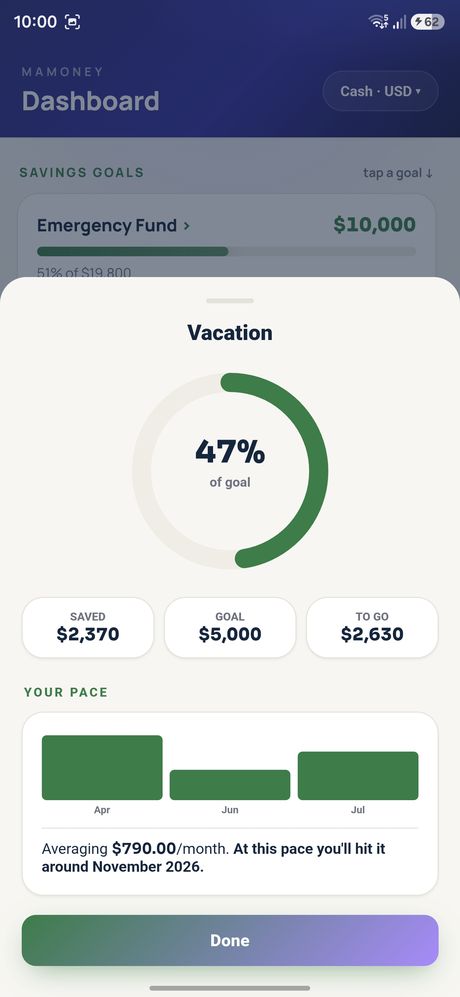
A savings goal at 48 percent with the monthly pace and the expected finish dateSavings goals
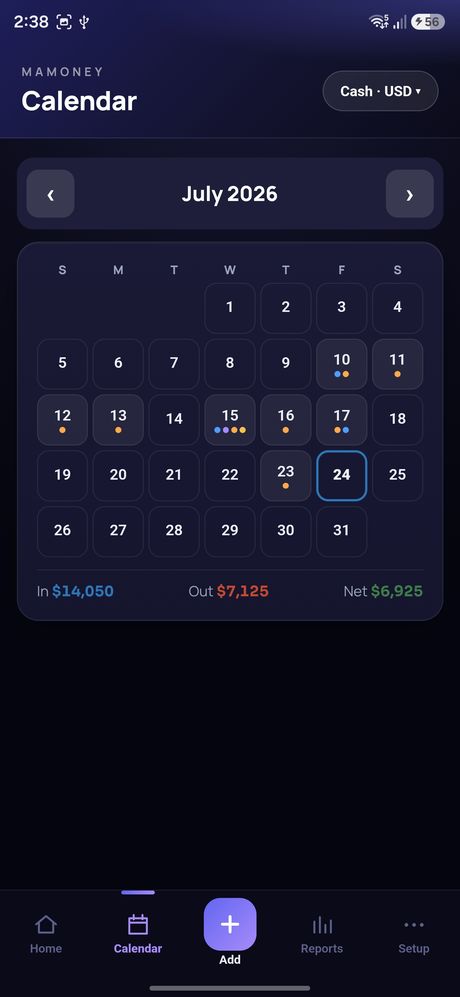
Month calendar with a selected day and its entries, dark themeCalendar
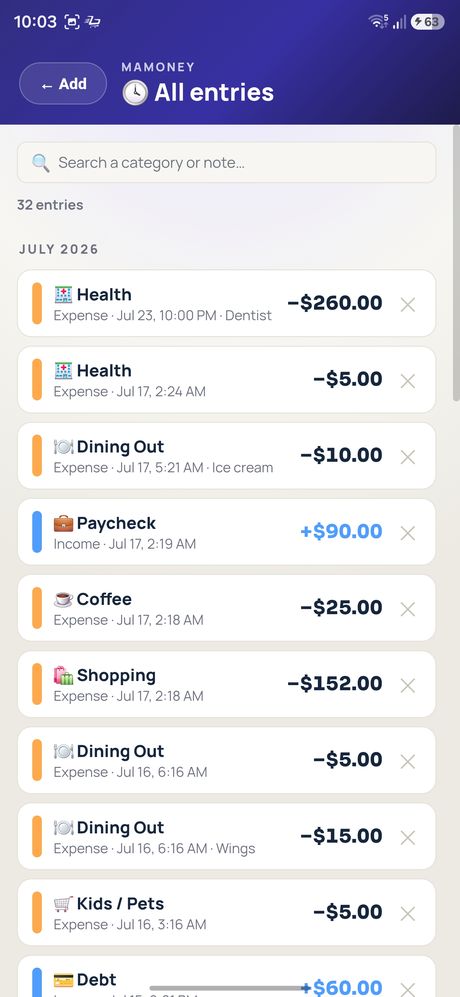
Searchable list of all income and expense entriesAll entries
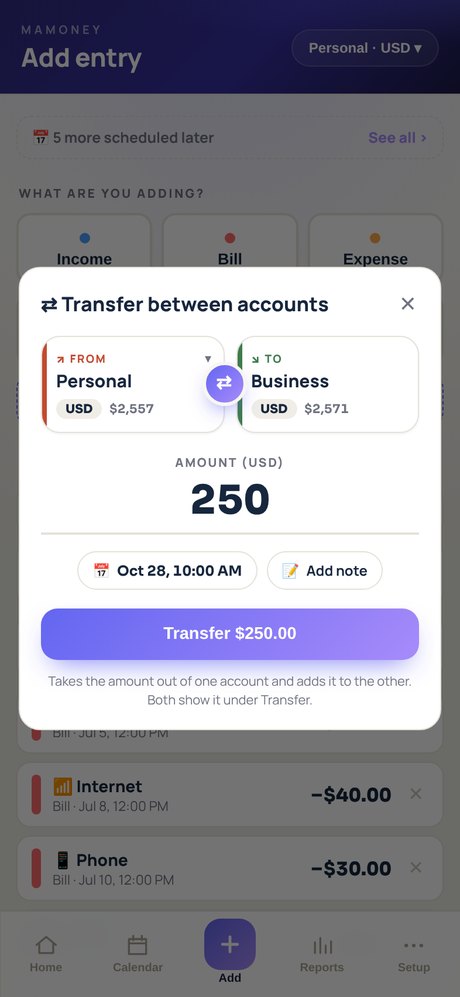
Moving money from a personal account to a business accountTransfers
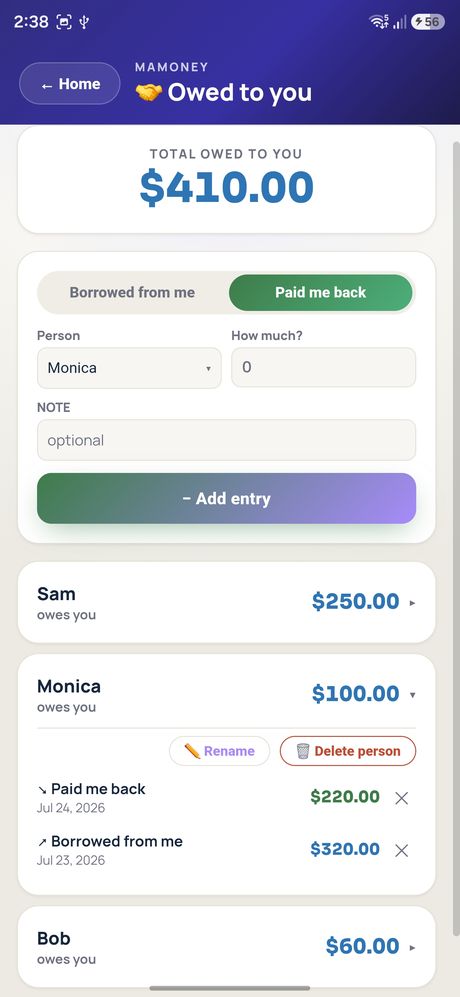
Owed to you: what each person still owesOwed to you
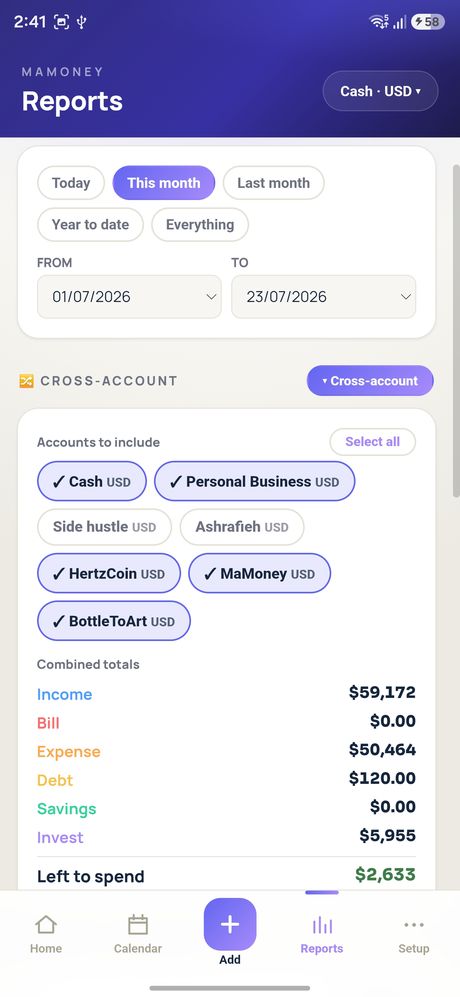
Reports combining totals across two accountsReports
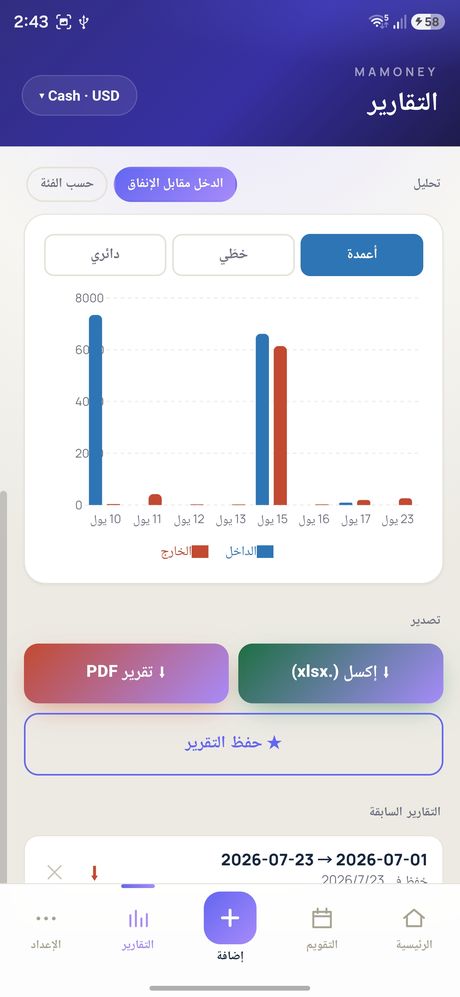
The dashboard in Arabic with a full right to left layout13 languages
How it works

Up and running in a minute

Download and open it

Free on Google Play, or as a beta on iPhone and the App Store. Sign in to back up your data, or skip and stay offline.

Add what you spend and earn

Pick a category, type the amount, save. A short tour shows you the way.

Set budgets, bills and goals

Decide what each month should look like. MaMoney reminds you when bills are due.

Watch the picture get clear

Insights, trends and leaks, all in one calm dashboard.

Pricing

Free to start. Fair when you want more.

The core app is free to use for as long as you want. Premium lifts the limits and brings your accounts together.

Free

$0 forever for the core app
  • Expense & income tracking
  • Budgets, bills, savings goals & debts
  • Bill reminders, Subscription Radar & Smart insights
  • Calendar, Owed to you & home-screen widget
  • PDF & Excel reports
  • Optional backup & sync
  • 1 account, 8 categories per section, 10 receipts
Save 33% yearly

Premium

$4.99 / month

or $39.99 / year, about $3.33 a month

  • Unlimited accounts
  • Transfers between your accounts
  • Reports across accounts, with currency conversion
  • Unlimited categories
  • Unlimited receipts

Billed through Google Play or the App Store. Cancel anytime. Prices in your store may be shown in your local currency.

FAQ

Questions, answered

Is MaMoney free?

Yes. Tracking, budgets, bills and reminders, goals, debts, the Subscription Radar, Smart insights, the calendar, Owed to you, PDF and Excel reports and optional backup are all free, with 1 account, 8 categories per section and 10 receipts. Premium lifts those limits and adds transfers and reports across accounts for $4.99 a month, or $39.99 a year (save 33%).

Where can I download it?

Android: MaMoney on Google Play. iPhone: MaMoney is with Apple for App Store review. Until then, the free beta is open through Apple's TestFlight app: install TestFlight, then open the beta link on your iPhone. Or leave your email and we'll tell you the day it's on the App Store.

Android: Google Play. iPhone: the App Store.

What's the iPhone beta?

The same MaMoney, shared through Apple's TestFlight app before it's on the App Store. New versions arrive through TestFlight. Sign in inside the app to back up your data, so it's all there when you move to the App Store version.

Do I need an account?

No. Skip sign-in and everything stays on your phone. An account (Google, Apple or email) only adds automatic backup and sync.

What happens if I change phones?

Sign in with the same account on the new phone and your entries, budgets, goals and settings come back by themselves. Receipts stay on the phone where you added them.

Is my data secure?

Your data lives on your phone by default. If you turn on backup, it's sent over an encrypted connection, stored encrypted at rest by our hosting provider, and locked to your account so other users can't read it. We never see your password, and there are no analytics or data sales. Ever.

Does MaMoney connect to my bank?

No, and that's deliberate. You type your entries yourself, which means no bank passwords, no third-party access to your accounts, and a much better understanding of your own spending.

Does it work offline?

Yes. MaMoney is offline-first: you can track everything without an account or internet connection. Backup and sync are optional.

How do I cancel Premium?

On Android: Google Play app, tap your profile picture, then Payments & subscriptions, Subscriptions, MaMoney, Cancel. On iPhone: Settings, your name, Subscriptions, MaMoney. Deleting the app doesn't cancel a subscription.

Can I export my data?

Yes. Export reports to Excel and PDF, and create a full backup file of all your data at any time. Your data is yours.

What languages does it support?

13 languages: English, Español, العربية (with full right-to-left layout), Français, हिन्दी, Português, 中文, 日本語, 한국어, Deutsch, Русский, Italiano and Türkçe.

Get the app

Download MaMoney

Free to download. Takes a minute to set up.

QR code that opens MaMoney on Google PlayAndroidScan with your phone's camera to open MaMoney on Google Play.
QR code that opens the MaMoney iPhone beta on TestFlightiPhone betaInstall TestFlight first, then scan with your iPhone's camera.
iPhone

On iPhone? Try the beta today.

MaMoney for iPhone is with Apple for App Store review. You don't have to wait: the beta is free through Apple's TestFlight app.

1Install TestFlight from the App Store.
2Open the beta link below on your iPhone.
3Tap Accept, then Install.
Join the iPhone beta

Sign in inside the app to back up your data, so it's there when you move to the App Store version.

Rather wait for the App Store?

Leave your email and we'll send one message the day it's live.

One email, no spam. See our privacy policy.